01
Records with complete details
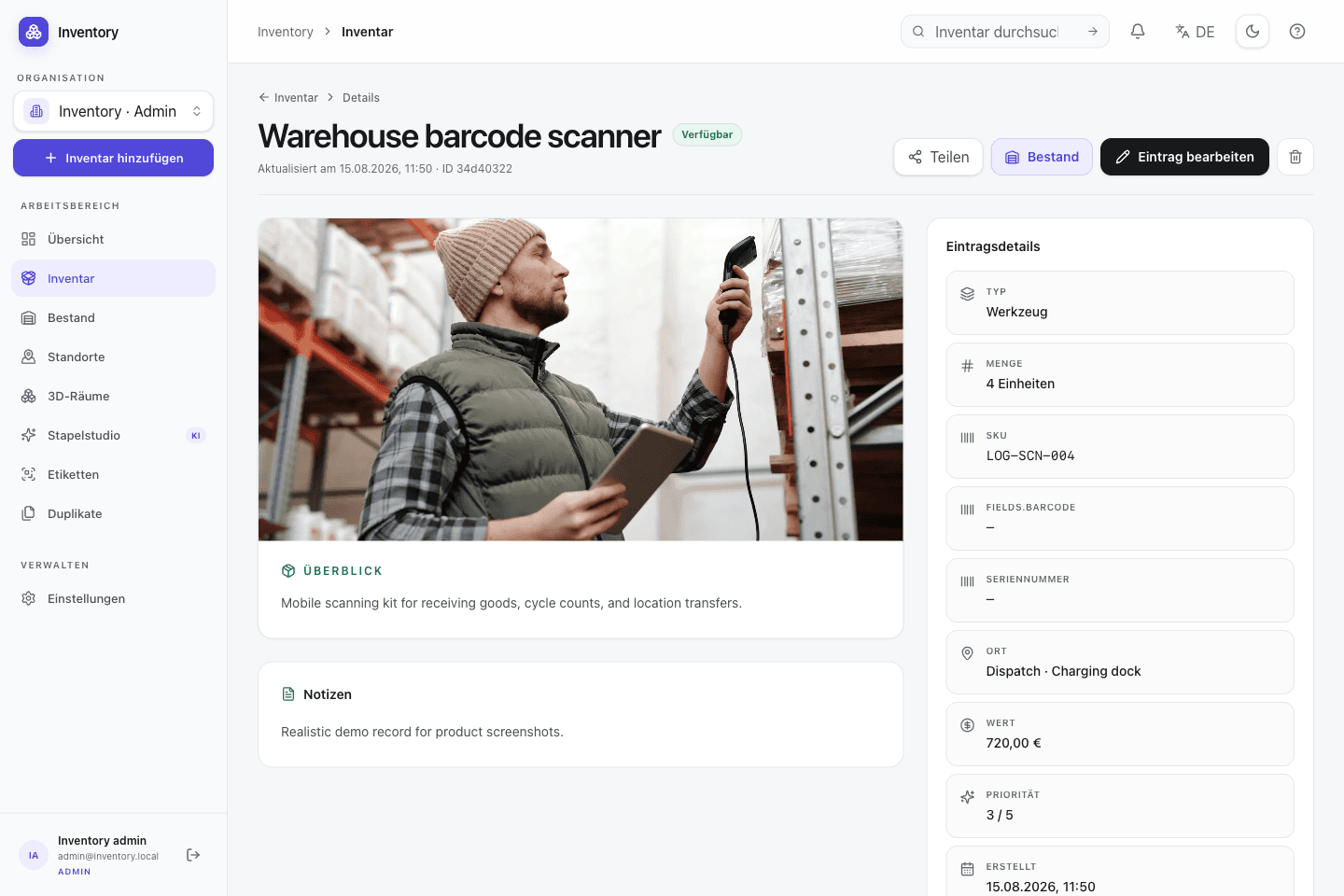
Store quantity, status, SKU, serial number, value, categories, tags, location, notes, priority, GPS or GeoJSON data and ordered media on each record.
02 · Structure
Types, typed custom fields, directed relations and content languages let different inventories use one application without forcing one industry schema.
Scope
A household store and an equipment lab need different fields. Open Inventory combines stable inventory types, custom fields, relations, locations and media instead of hard-coding an industry model. The same structure is available through the UI and API.
Result 01
Add domain-specific types and fields without changing application code
Result 02
Connect containers, rooms, devices, people and projects with explicit relations
Result 03
Maintain larger datasets through search, filters and bulk updates
Included implementation
These components are part of the MIT-licensed project. Optional providers are identified where they take part in a workflow.
Store quantity, status, SKU, serial number, value, categories, tags, location, notes, priority, GPS or GeoJSON data and ordered media on each record.
Use bundled types for tools, objects, furniture, vehicles, locations, people, clothing and projects, or define custom types with stable API keys.
Add short or long text, numbers, booleans, dates, date-times, single or multiple choices, email, URL and dynamic references, including fields on serialized units.
Configurable directed relations connect records. Manual placement and point-in-polygon derivation can represent rooms, cabinets, machines or projects.
A canonical language, per-field freshness, terminology guidance and queued regeneration keep generated translations reviewable and consistent.
Use the responsive grid or table, favorite frequently needed records, filter inventory, and update shared fields or tags across a selected set.
Connect existing records as variants or generate configurations from option groups. Every variant remains a complete record with its own SKU, barcode, and stock.
Visualize families, bills of materials, containment, and other links across several levels. The optional cost view exposes material contributions through the structure.
Sequence
A field is useful when it is searched, filtered, validated or automated. Additional structure can be introduced as those requirements become clear.
Use a bundled type or create a custom type with a stable key shared by the UI and API.
Add only the required text, number, choice, date or reference fields for that type.
Represent containment, responsibility and spatial relationships as directed links rather than free text.
Filter records and apply shared fields or additional tags to a selected set in one operation.
Worked example
The values are mock data, but the workflow and state changes correspond to operations implemented by Open Inventory.
Example · Equipment catalog
The Measuring device type can add a serial number, calibration date and responsible person. Relations connect accessories and storage without flattening those facts into one notes field.
Type
Measuring device
Custom fields
Calibration · Owner
Relations
Accessory · Location
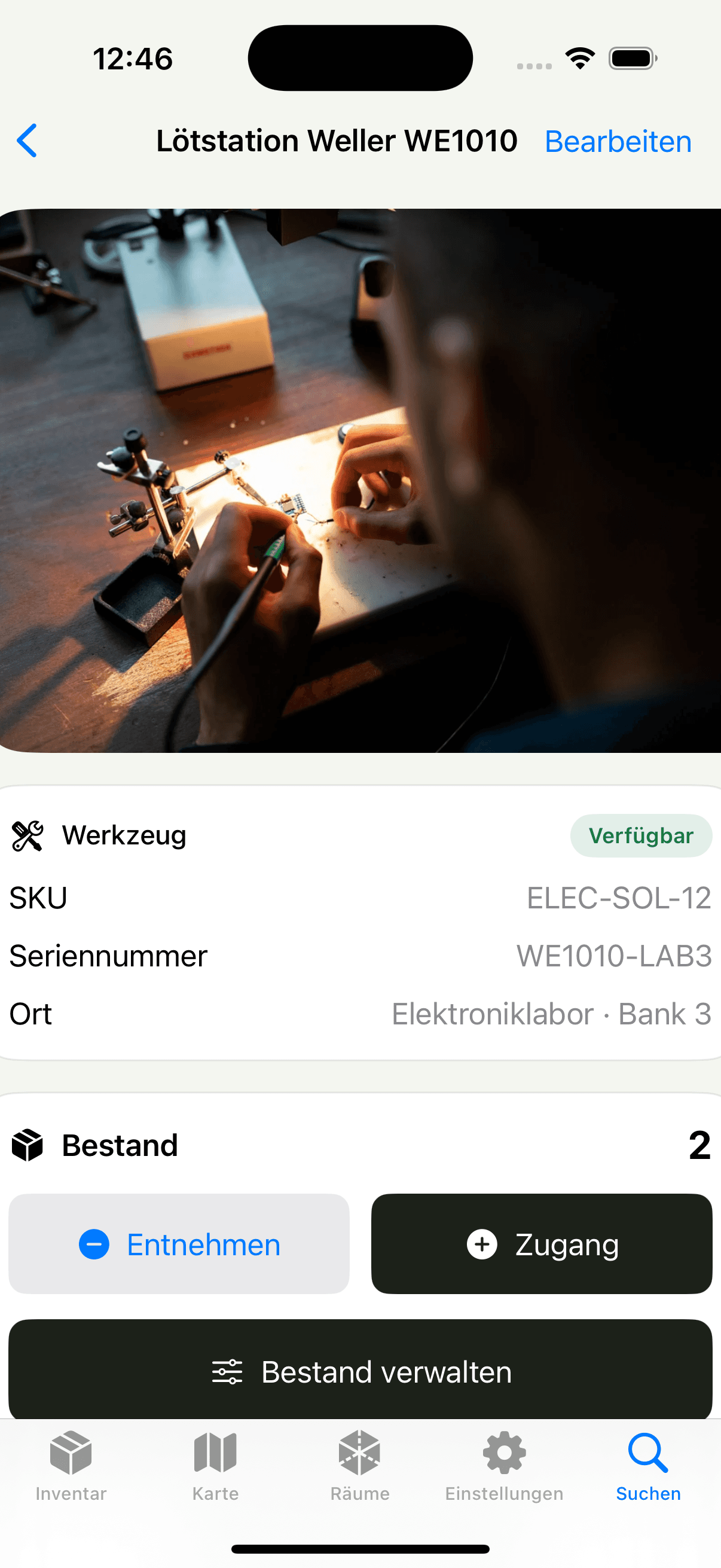
The native client searches the same records as the web application. Location and other fields can be added while capturing the physical object.
Search by name, SKU, tag or location
Open and edit records with authenticated media requests
Use map, detail and settings screens implemented in SwiftUI
Types and fields are not hidden behind a proprietary vertical model. The MIT-licensed implementation, validated CSV paths and documented API provide several ways to inspect and reuse the data.
Stable API keys for custom inventory types
Validated UTF-8 CSV import and export
OpenAPI 3.1 contract checked into the repository
Next feature area
Bulk quantities and serialized devices use different invariants but share locations, movements, purchasing, sales, lending, and request workflows.
Operate your own instance
Review the Compose services, persistence requirements and provider configuration before exposing an instance to a network.