Camera-first batch capture
Capture several objects in sequence. Persistent jobs continue processing earlier records while the camera is available for the next object.
Open Inventory combines photo capture, typed records, variants, stock operations, internal requests, WooCommerce, spatial data, and an API. The sections below describe the data flow, provider boundaries, and known operating responsibilities.
 Actual app capture · demo data
One capture queue
with separate resource, media and optional processing stages
Three operation types
for purchases, sales, and multi-line loans
One open contract
shared by the web app, native iOS client and integrations
Interface examples
These unaltered screenshots use deliberately created demo records and real object photographs. The captured instance is configured in German, so its embedded labels remain German.
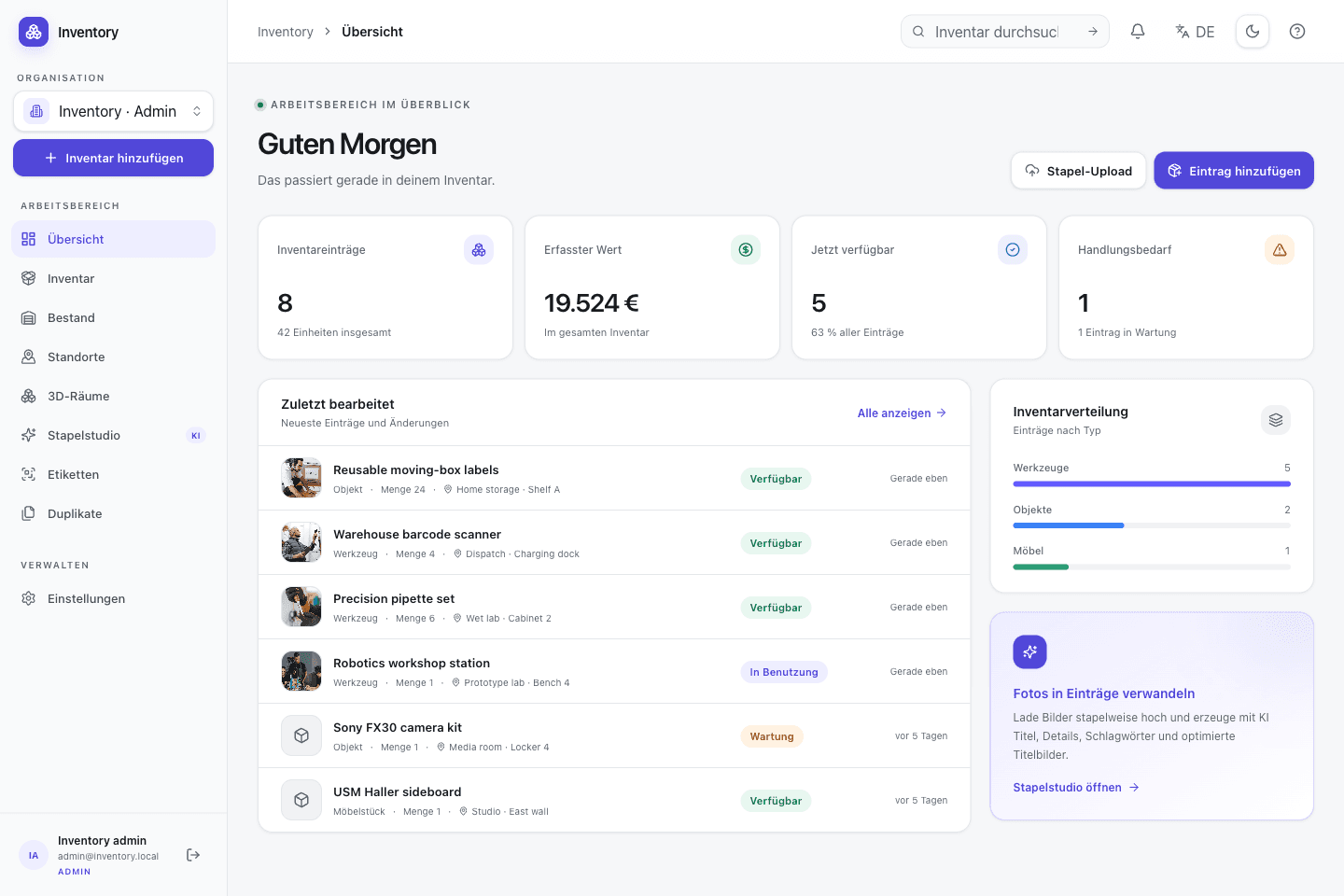
Real capture · demo dataReview the dashboard
Inspect metrics and recent records with real object photographs.
 Real capture · demo data
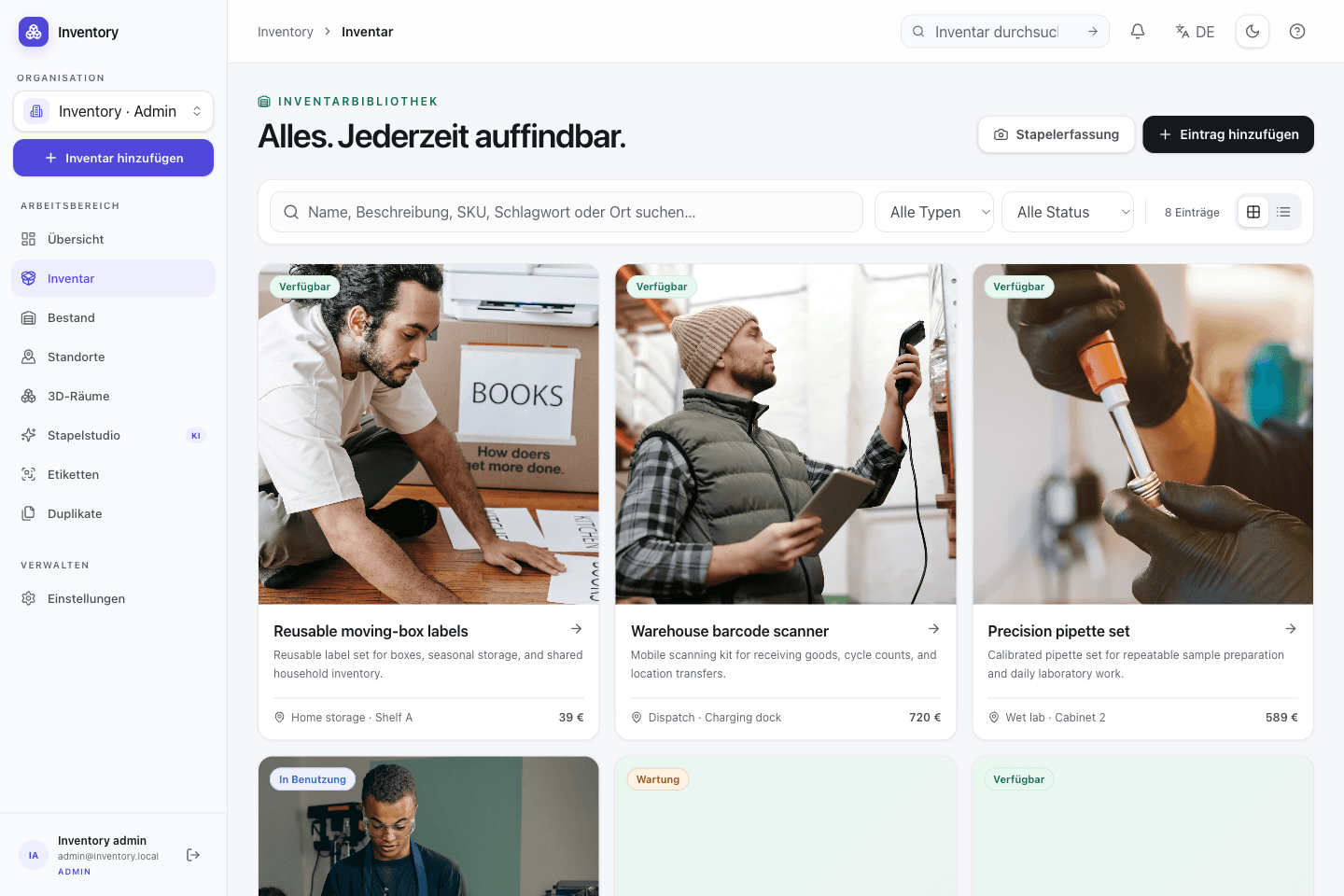
Search inventory records
Inspect records, states, tags and locations in one list.
 Real capture · demo data
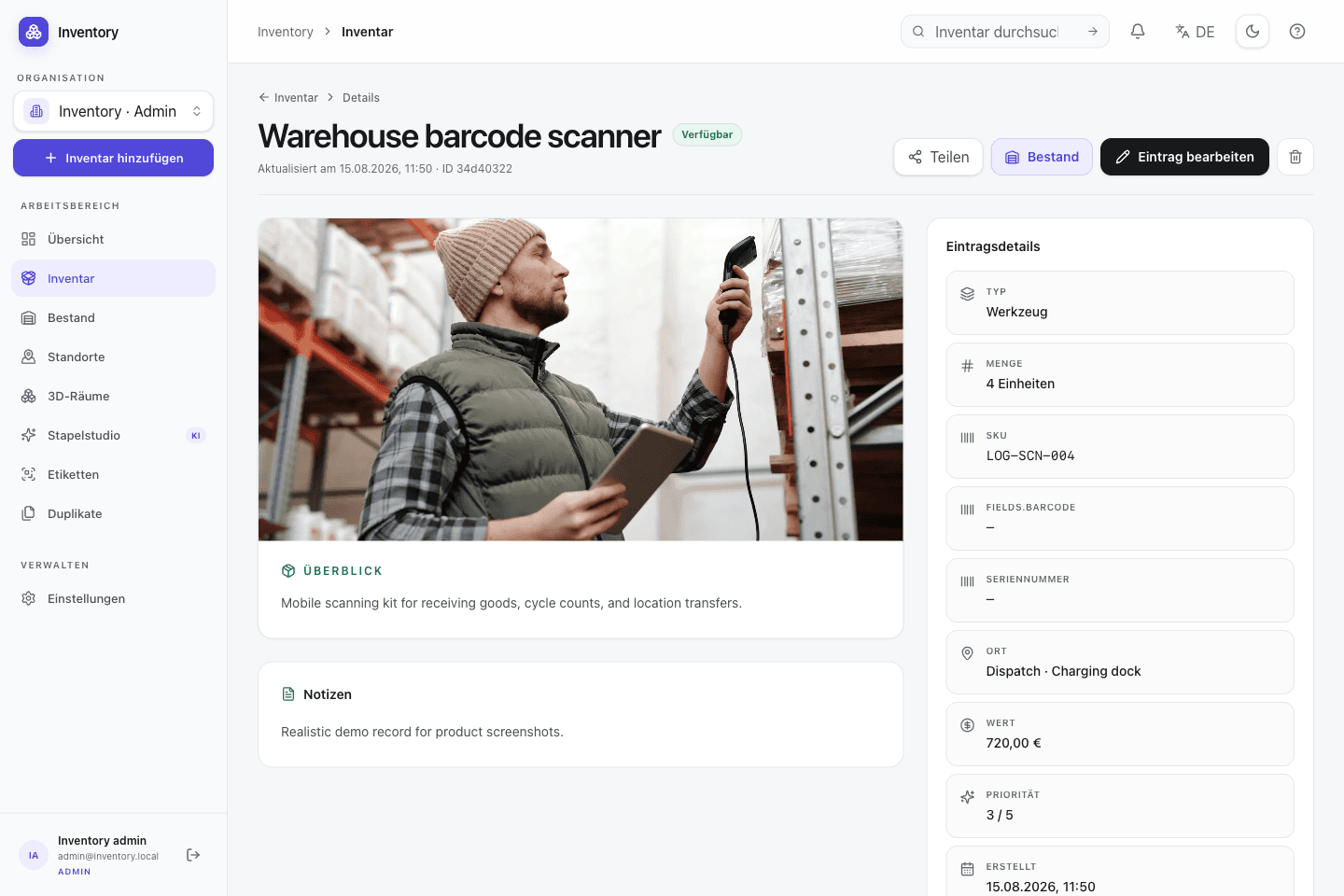
Inspect an item in detail
Bring real object photographs, master data, media, and stock status together.
 Real capture · demo data
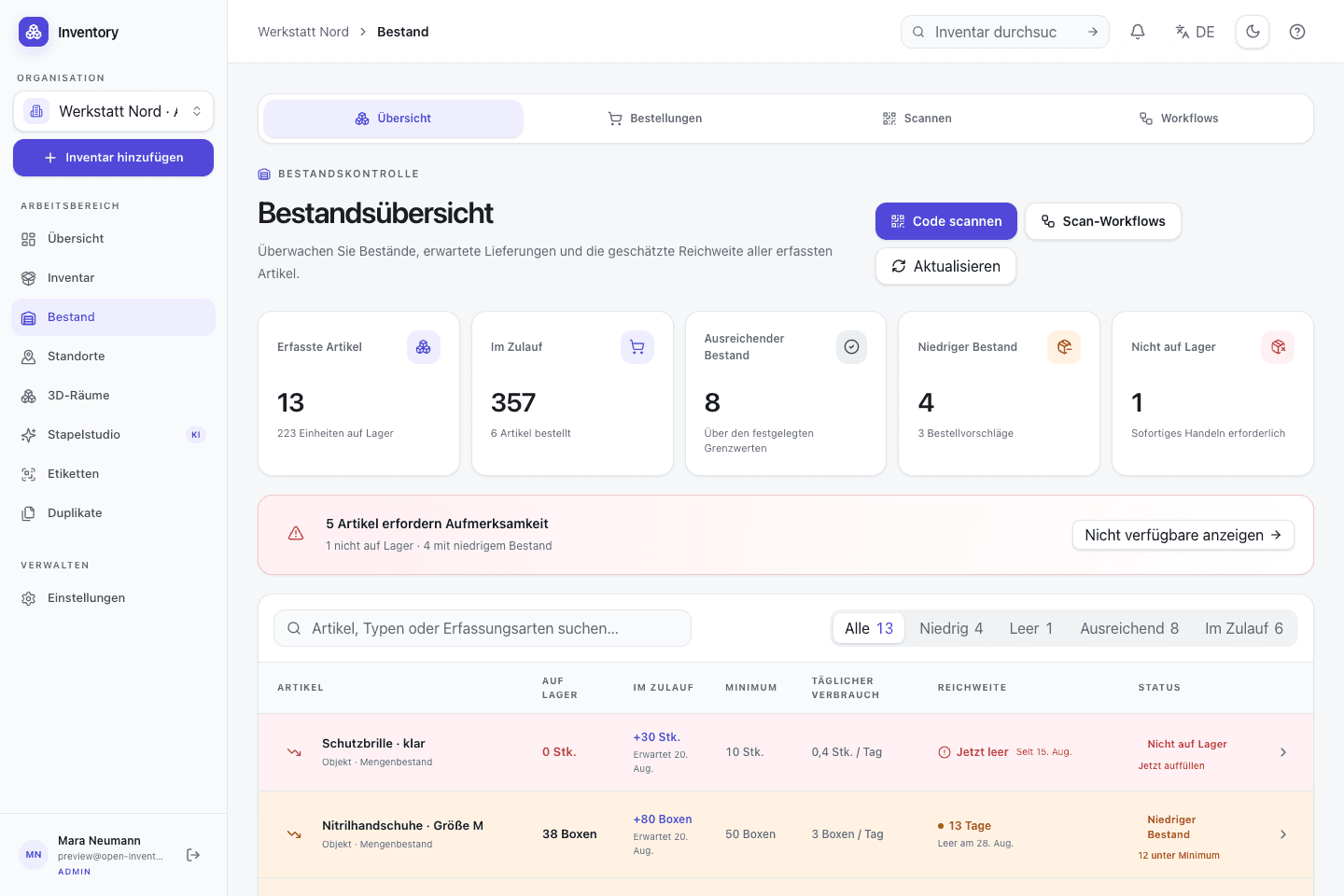
Record stock movements
See incoming and outgoing movements, locations, and history on the record.
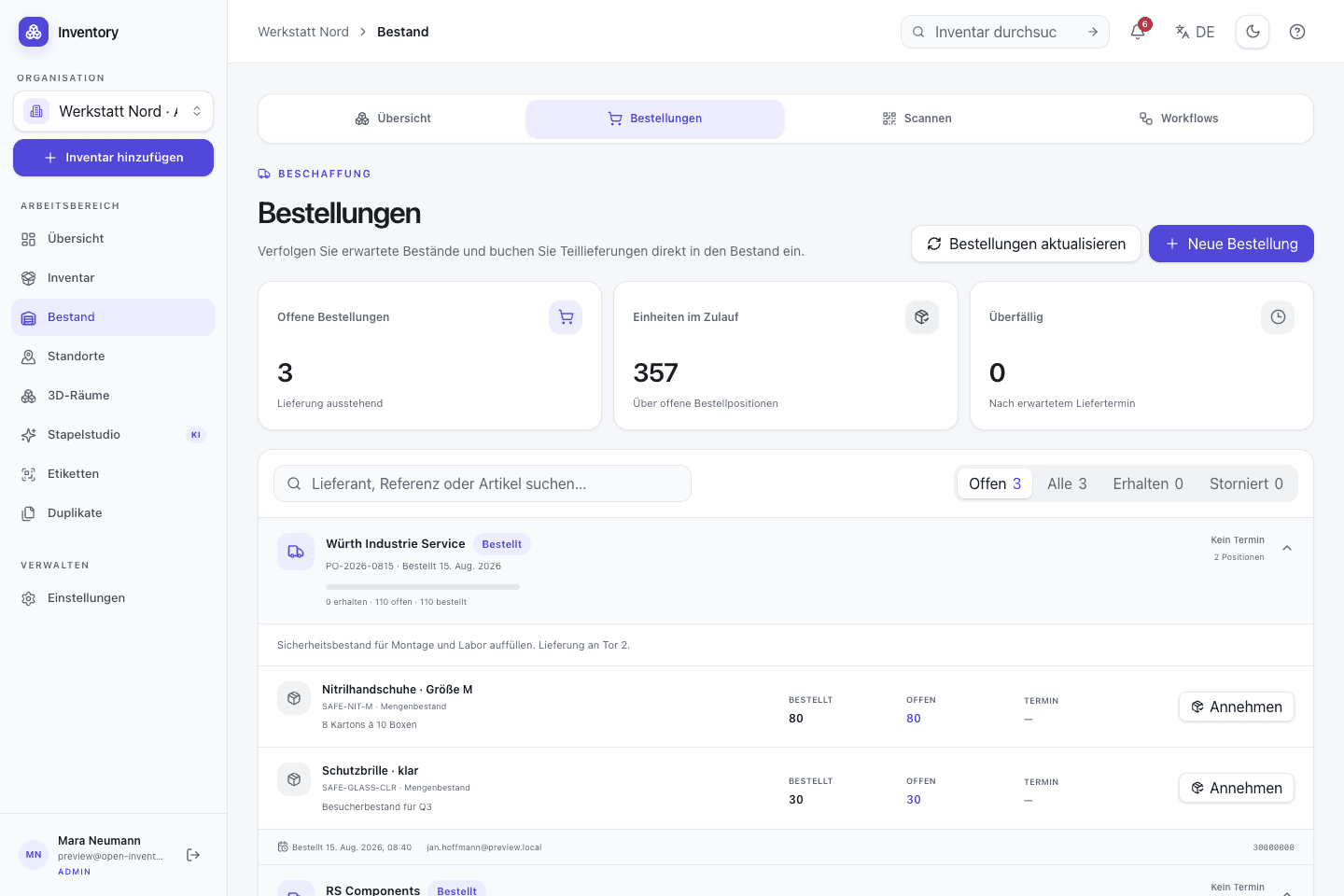 Real capture · demo data
Manage purchasing as an operation
Bring open lines, partial receipts, expected quantities, and stock intake together.
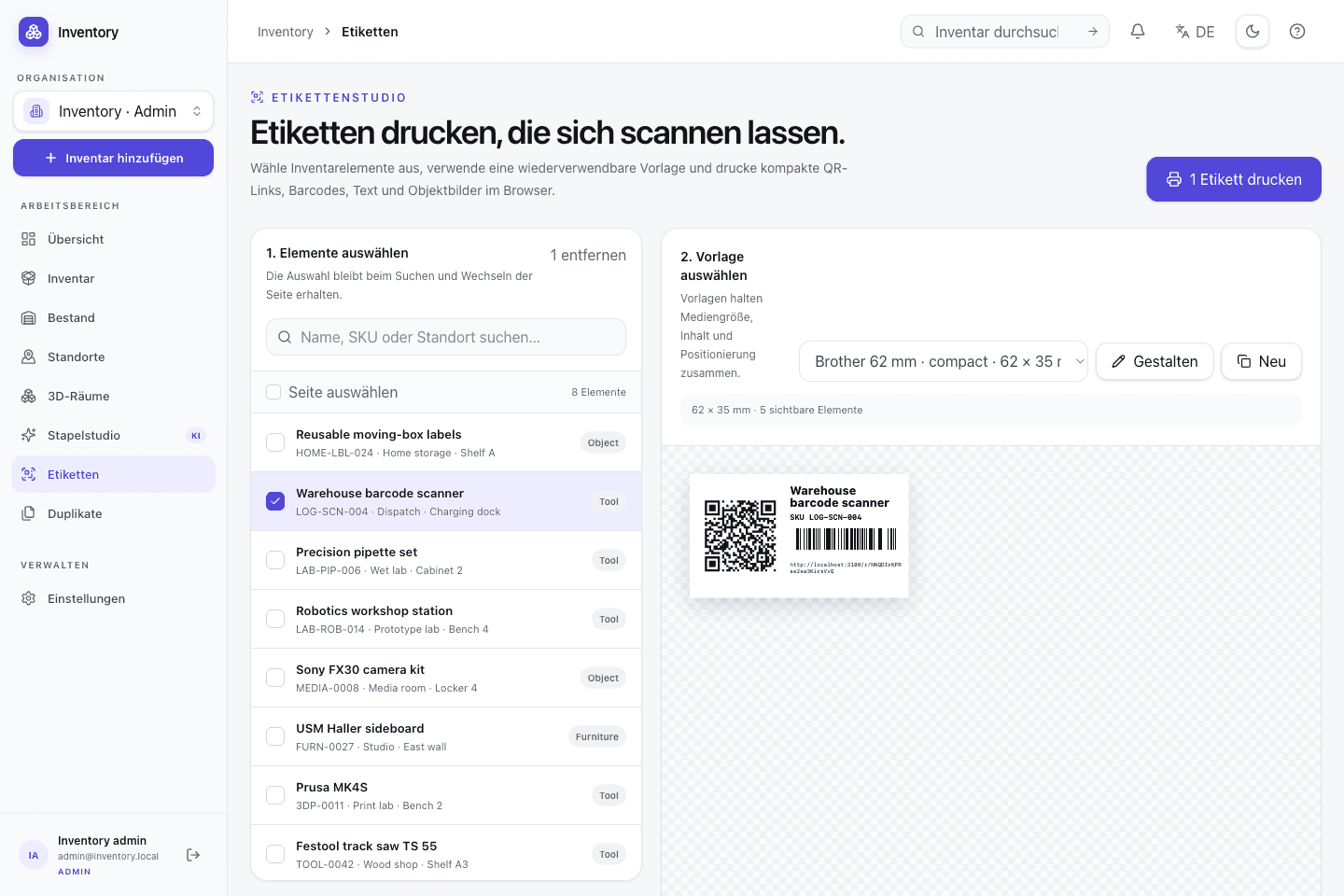 Real capture · demo data
Design printable labels
Generate QR and Code 128 previews from a selected demo record.
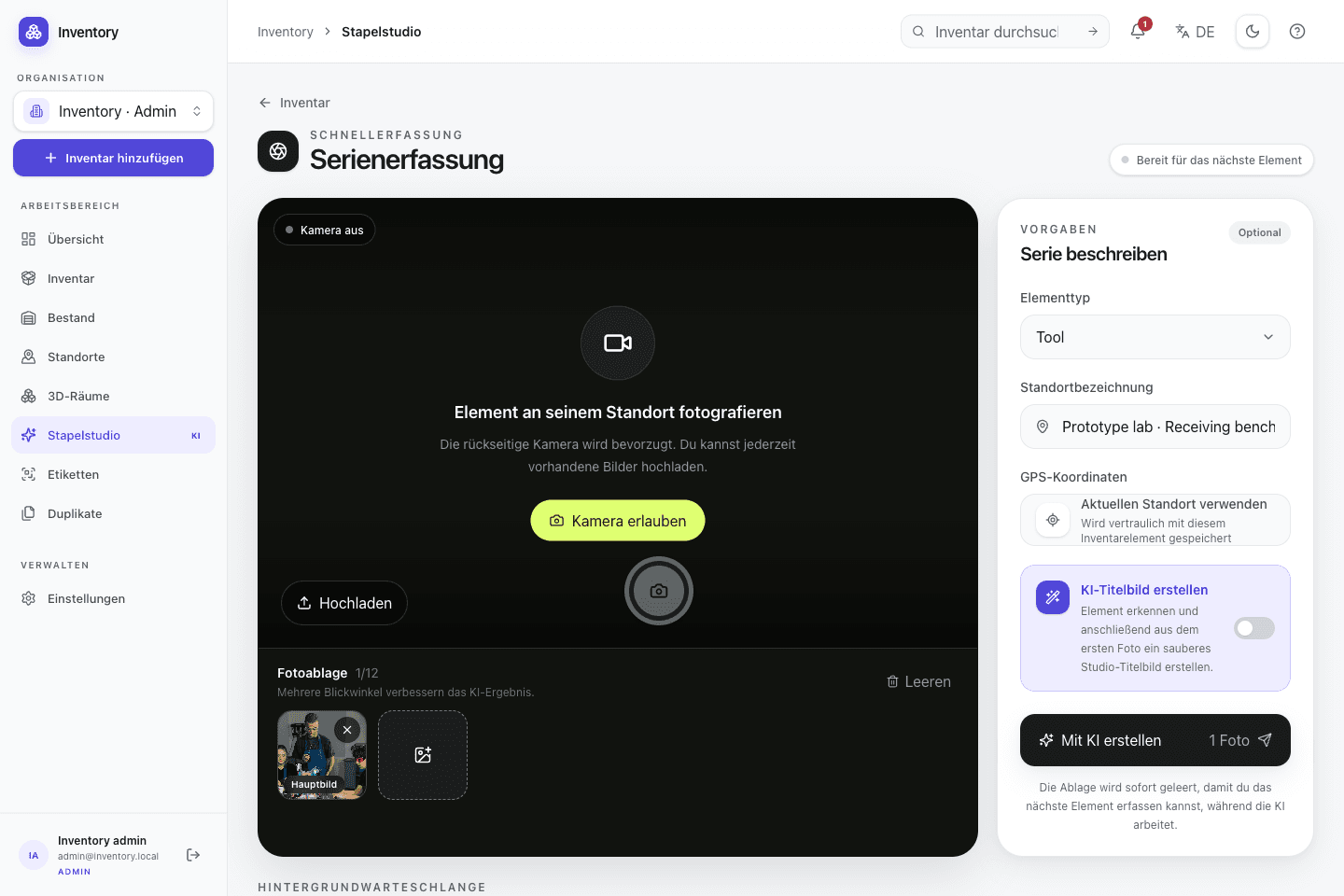 Real capture · demo data
Process a capture batch
Use the photo tray and shared capture settings in the running web app.
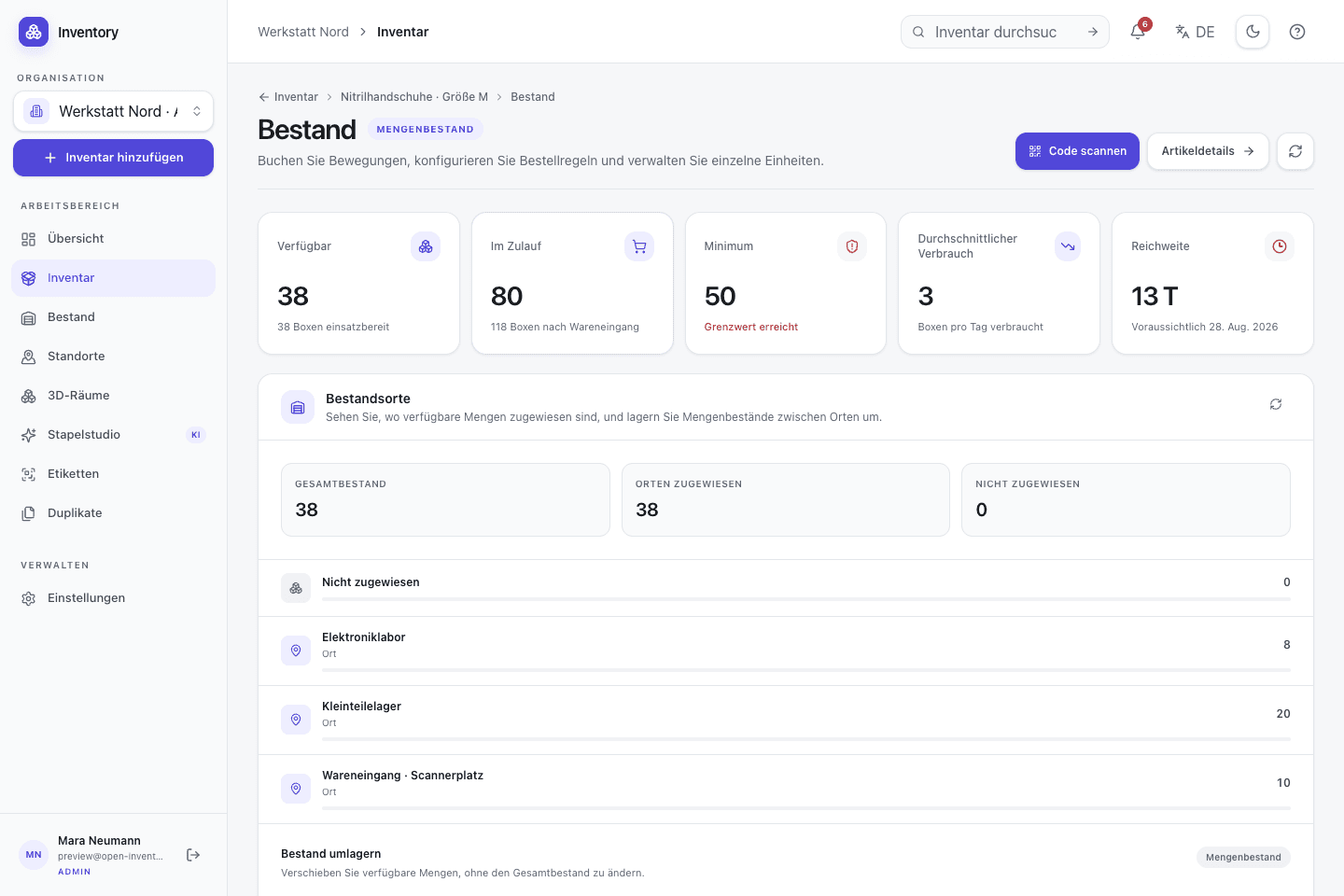 Real capture · demo data
Distribute stock by location
Review quantities, incoming stock, minimum levels, and coverage for each storage location.
 Real capture · demo data
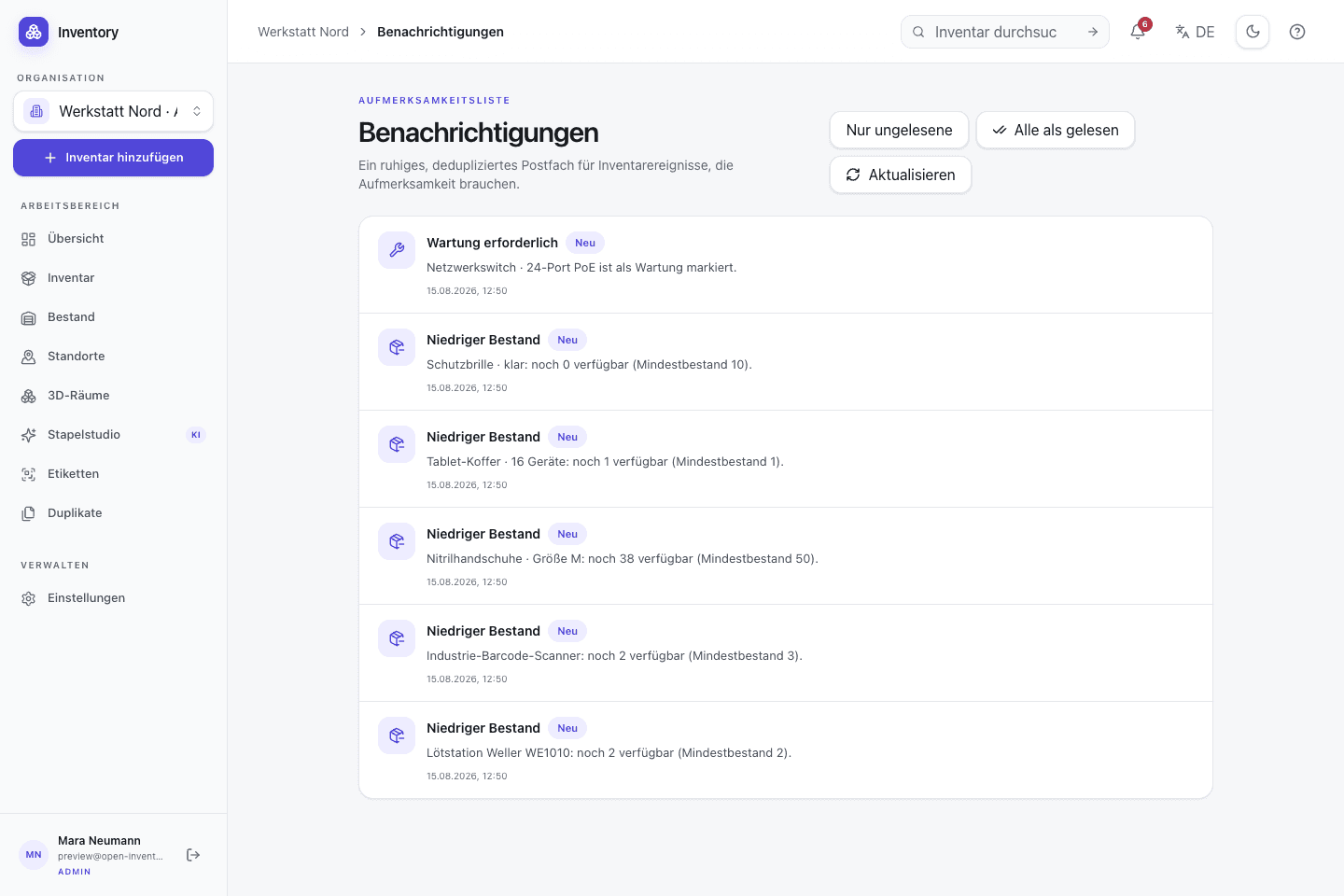
Catch maintenance and shortages
Review concrete maintenance dates and low-stock warnings in one event list.
 Real capture · demo data
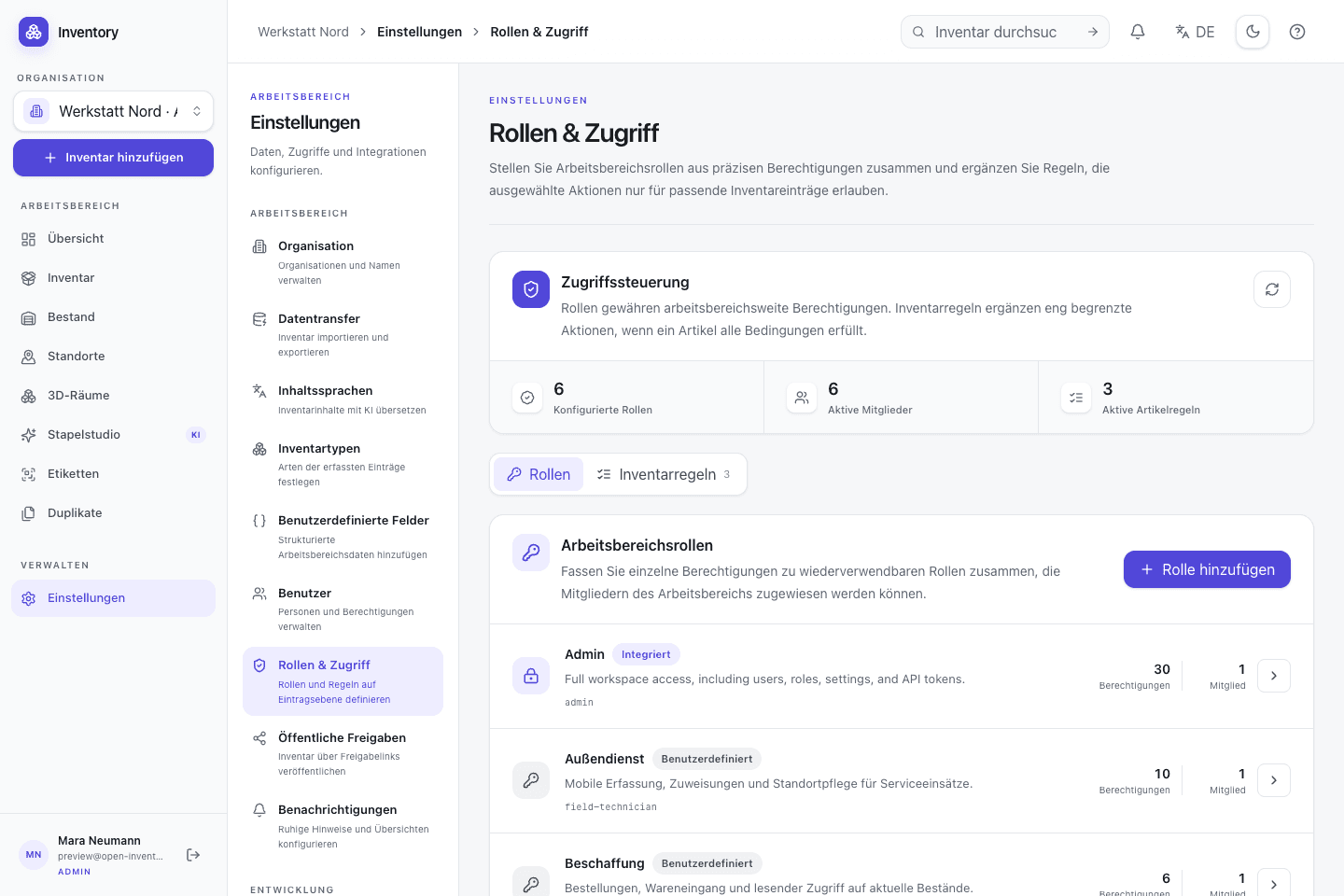
Control shared access
Manage members, roles, and permissions in the self-hosted instance.
 Real capture · demo data
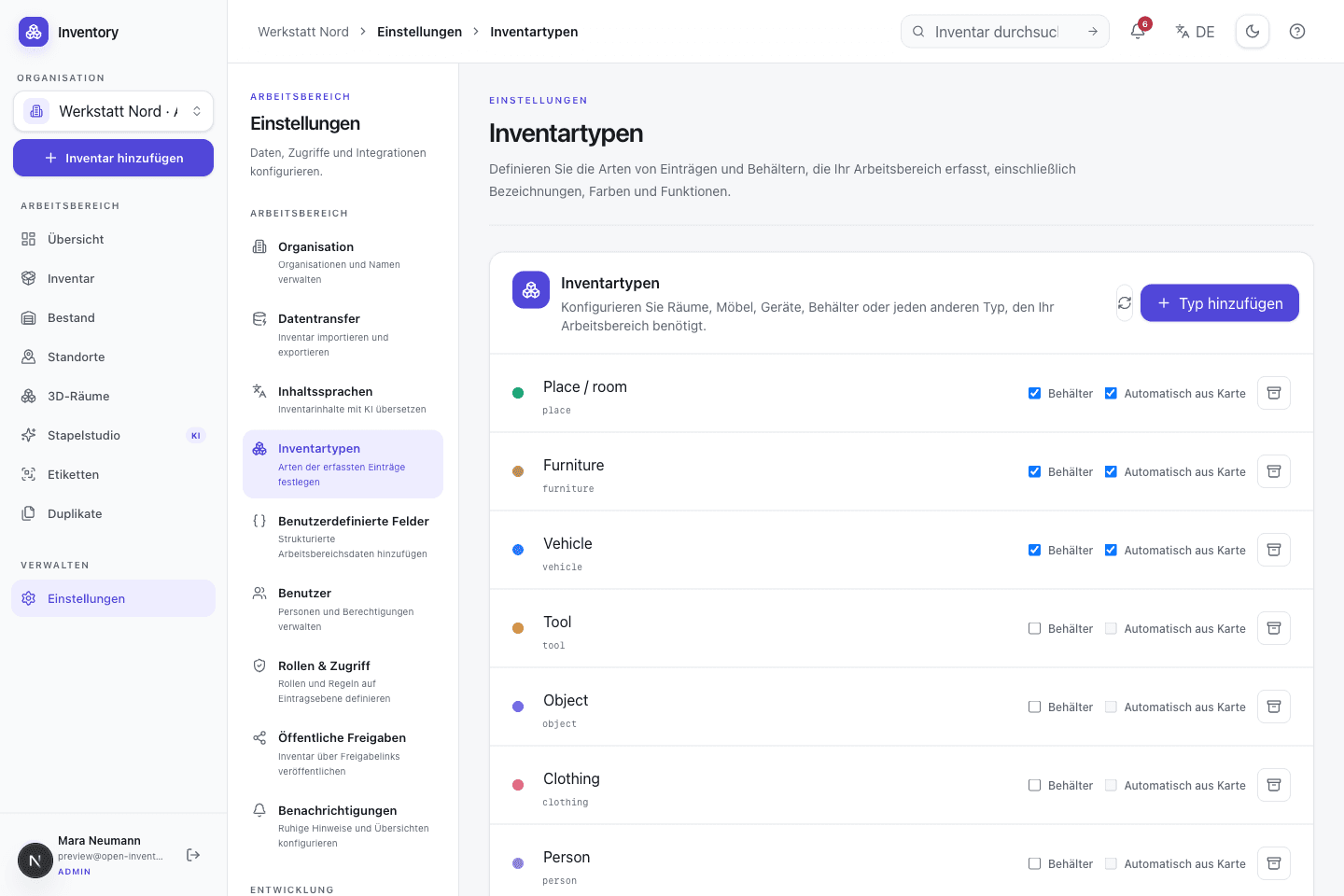
Define inventory types
Configure rooms, vehicles, tools, and custom types with explicit behavior.
 Real capture · demo data
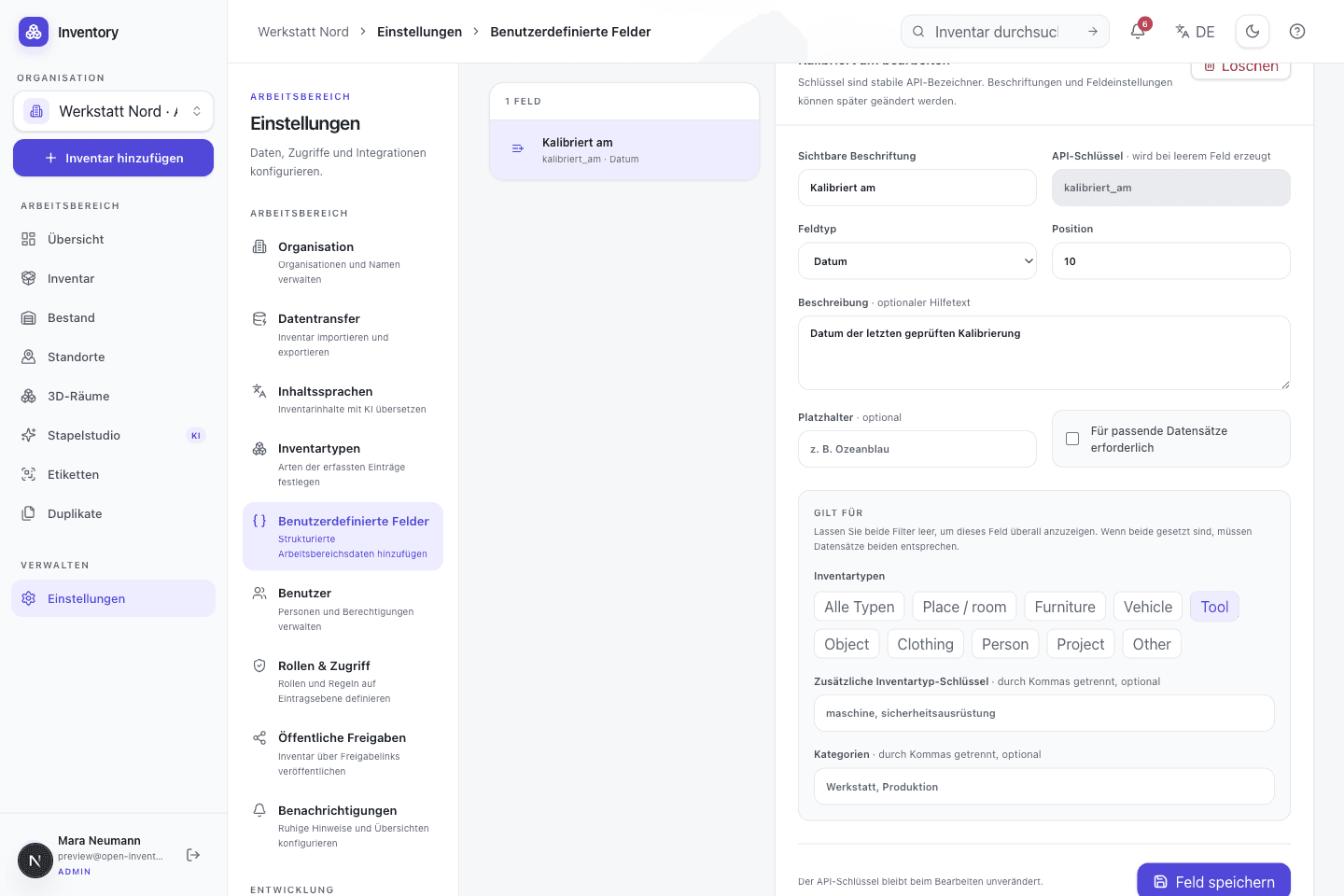
Structure custom fields
Add typed information such as calibration dates to the records it applies to.
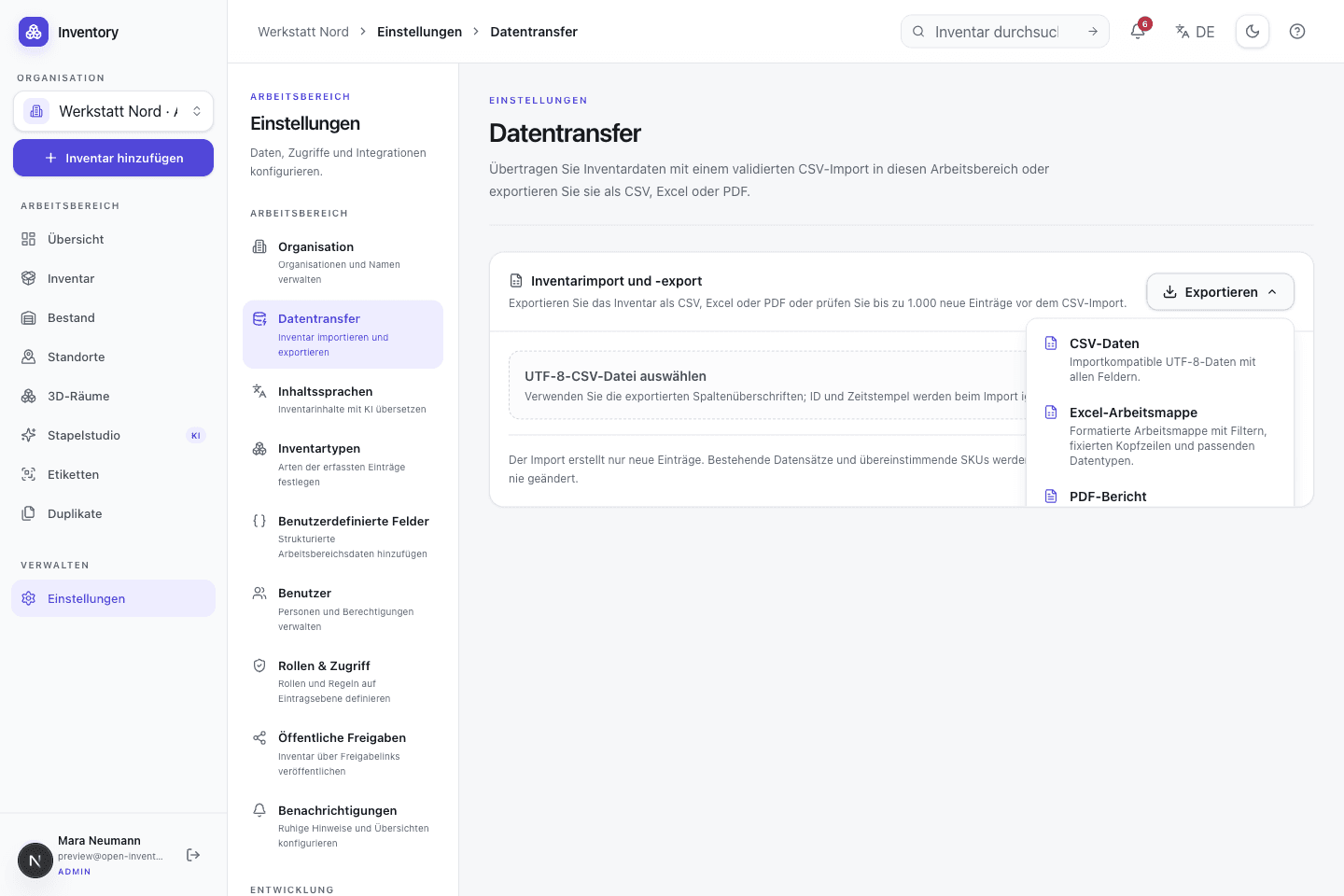 Real capture · demo data
Exchange data deliberately
Use validated CSV import or export to CSV, a formatted Excel workbook, or a PDF report.
Feature reference
Every item below belongs to the open project. External AI, identity, map and storage providers remain optional deployment choices.
01 · Capture
Capture starts at the object. Original media is retained, generated suggestions remain reviewable, and background work is split into visible stages.
Open the technical detailCapture several objects in sequence. Persistent jobs continue processing earlier records while the camera is available for the next object.
Optional OpenAI or compatible image analysis proposes a name, description, type, tags, alt text and confidence value. The draft is editable before it is accepted.
OpenAI or Google can generate a square cover from a source photo. The generated asset is stored separately and the original photo remains available.
Optional photo counting marks detected instances and returns a confidence value. The quantity can be corrected before a stock movement is written.
JPG, PNG, WebP, AVIF, HEIC, MP4, MOV, WebM, PDF and USDZ can be ordered on a record. Images are optimized client-side and EXIF coordinates can be imported.
The open SwiftUI app captures photos, scans codes and persists upload stages. Stable operation IDs prevent defined retries from creating duplicate records.
02 · Structure
Types, typed custom fields, directed relations and content languages let different inventories use one application without forcing one industry schema.
Open the technical detailStore quantity, status, SKU, serial number, value, categories, tags, location, notes, priority, GPS or GeoJSON data and ordered media on each record.
Use bundled types for tools, objects, furniture, vehicles, locations, people, clothing and projects, or define custom types with stable API keys.
Add short or long text, numbers, booleans, dates, date-times, single or multiple choices, email, URL and dynamic references, including fields on serialized units.
Configurable directed relations connect records. Manual placement and point-in-polygon derivation can represent rooms, cabinets, machines or projects.
A canonical language, per-field freshness, terminology guidance and queued regeneration keep generated translations reviewable and consistent.
Use the responsive grid or table, favorite frequently needed records, filter inventory, and update shared fields or tags across a selected set.
Connect existing records as variants or generate configurations from option groups. Every variant remains a complete record with its own SKU, barcode, and stock.
Visualize families, bills of materials, containment, and other links across several levels. The optional cost view exposes material contributions through the structure.
03 · Store and move
Bulk quantities and serialized devices use different invariants but share locations, movements, purchasing, sales, lending, and request workflows.
Open the technical detailTrack identical parts as a quantity or represent every physical unit with a UUID, readable code, state, location, metadata and acquisition date.
Receipts, issues, corrections, and transfers are dated and recorded. Organization policy decides whether negative stock is allowed; corrections remain visible in the history.
Any suitable inventory record can be a structured stock location. Global quantity and distribution across rooms, cabinets or vehicles remain visible together.
Schedule recurring counts, process due checks and reconcile quantities by location. Serialized units retain individual traceability.
Bundle several quantities or serialized units per contact. Issue, due date, partial returns, and cancellation remain traceable for every line.
Minimum quantity, reorder amount, lead time and consumption rate produce warnings, an estimated stock-out date and a documented reorder suggestion.
Create multi-line purchase and sales orders with contacts, prices, and partial quantities. Receipts and issues are applied through controlled stock movements.
Plan future demand, approve or reject requests, and reserve stock until fulfilment. The calendar exposes upcoming allocations before approval.
Store prices on movements, review inventory and material costs, and convert purchased rolls, boxes, or canisters into the corresponding base unit.
Define assembly components and consume them atomically during a build: either the complete operation succeeds or none of it is applied.
04 · Resolve and integrate
Labels and software integrations resolve the same records. Scan workflows add preview and confirmation before a stock operation is executed.
Open the technical detailScan from a camera or image, resolve inventory links, UUIDs, SKUs and serial numbers, and design configurable action flows with previews, inputs, and confirmed execution.
Design layouts in the browser with a short QR link, Code 128, optional record image and presets including Brother 62 mm and 102 × 152 mm.
Import and export UTF-8 CSV. Row-level validation identifies invalid values, and repeated imports can use idempotent processing.
A score helps identify similar records. A merge applies related-data changes transactionally instead of leaving partially moved associations.
Expose selected records through a revocable read-only share without opening the complete workspace.
The checked-in OpenAPI 3.1 specification, interactive reference and hashed tokens with expiry and scopes make integrations inspectable.
Map store line items to bulk stock by exact SKU. Webhooks issue order quantities and reconcile refunds or cancellations with traceable reversal movements.
05 · Spatial data
Locations can be plain text, structured inventory records, map geometries or optional room captures. Each level is independent.
Open the technical detailEdit points and polygons, drag geometry handles, change layers or satellite imagery and assign multiple records from the map.
When a map point lies inside a container polygon, Open Inventory can derive a relation. A manual placement deliberately takes precedence.
A LiDAR-capable iPhone can capture rooms, floors and connected structures. This is an extension for supported hardware, not a requirement for the rest of the app.
The web viewer displays measured RoomPlan geometry, searchable inventory markers and optional photorealistic derivatives with explicit coordinate-system transforms.
Select specific room photos for optional analysis. Recognized objects and estimated positions remain reviewable suggestions before they are added to the room structure.
06 · Operate and secure
Roles, scoped tokens, persistent data and explicit provider boundaries turn inspectable code into a service that can be operated deliberately.
Open the technical detailManage local accounts, custom roles, granular permissions and content-dependent access rules. Auth0 or a standards-based OpenID Connect provider can be added for sign-in.
Containers, migrations, a health endpoint and persistent volumes for PostgreSQL and local uploads are checked in. Configuration and secrets remain deployment concerns.
Store uploads in a persistent local volume by default or configure Openinary. Database and file storage must be backed up as one recoverable dataset.
Separate workspaces, data, and memberships within one deployment. Roles and permissions are evaluated in the currently selected organization.
Review estimated cost by action, provider, and status. An organization limit is checked before every paid AI call and can stop paid AI completely.
Keep selected views available offline on a trusted device. Disabling offline access or signing out removes the locally stored copies.
The web app, API and native iOS client are published in one repository. The MIT license permits inspection, modification, operation and redistribution.
Open implementation
The web app, native iOS client, database migrations and OpenAPI document are published together under the MIT license.