01
Bulk or serialized tracking
Track identical parts as a quantity or represent every physical unit with a UUID, readable code, state, location, metadata and acquisition date.
03 · Store and move
Bulk quantities and serialized devices use different invariants but share locations, movements, purchasing, sales, lending, and request workflows.
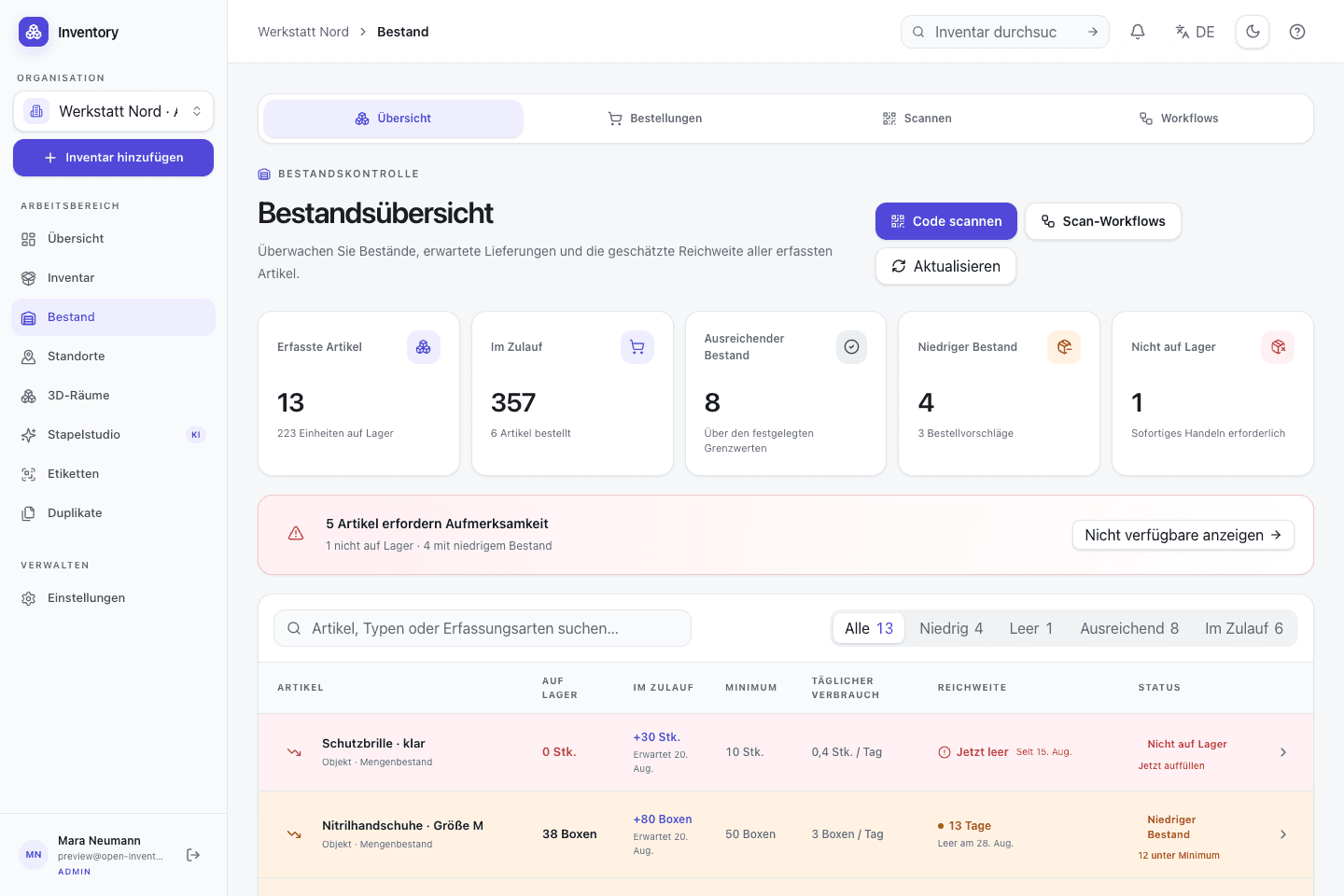
Scope
Screws need a quantity; a laptop needs an identity. Open Inventory supports both tracking modes and writes each change as a dated movement. Current availability can therefore be reconciled with the events that produced it.
Result 01
Use bulk tracking for interchangeable parts and serialized units for identifiable devices
Result 02
Record issues, returns, transfers and corrections without replacing their history
Result 03
Connect requests, purchases, sales, loans, costs, and assembly consumption
Included implementation
These components are part of the MIT-licensed project. Optional providers are identified where they take part in a workflow.
Track identical parts as a quantity or represent every physical unit with a UUID, readable code, state, location, metadata and acquisition date.
Receipts, issues, corrections, and transfers are dated and recorded. Organization policy decides whether negative stock is allowed; corrections remain visible in the history.
Any suitable inventory record can be a structured stock location. Global quantity and distribution across rooms, cabinets or vehicles remain visible together.
Schedule recurring counts, process due checks and reconcile quantities by location. Serialized units retain individual traceability.
Bundle several quantities or serialized units per contact. Issue, due date, partial returns, and cancellation remain traceable for every line.
Minimum quantity, reorder amount, lead time and consumption rate produce warnings, an estimated stock-out date and a documented reorder suggestion.
Create multi-line purchase and sales orders with contacts, prices, and partial quantities. Receipts and issues are applied through controlled stock movements.
Plan future demand, approve or reject requests, and reserve stock until fulfilment. The calendar exposes upcoming allocations before approval.
Store prices on movements, review inventory and material costs, and convert purchased rolls, boxes, or canisters into the corresponding base unit.
Define assembly components and consume them atomically during a build: either the complete operation succeeds or none of it is applied.
Sequence
A movement changes more than a displayed number. It records the operation, location and recipient context used to derive the new state.
Use bulk quantities for interchangeable parts and serialized units for devices with their own identity.
Distribute stock across rooms, cabinets or vehicles while retaining the global quantity and availability view.
Receipt, issue, transfer, lending and return operations are validated and appended to the history.
Minimum quantity, consumption and lead time expose low stock and provide inputs for reorder planning.
Worked example
The values are mock data, but the workflow and state changes correspond to operations implemented by Open Inventory.
Example · Makerspace
M4 screws are stored as a quantity per shelf. Each oscilloscope has its own code, state and location and can be assigned to a person.
Bulk stock
240 screws
Serialized
4 devices
Current operation
1 device issued
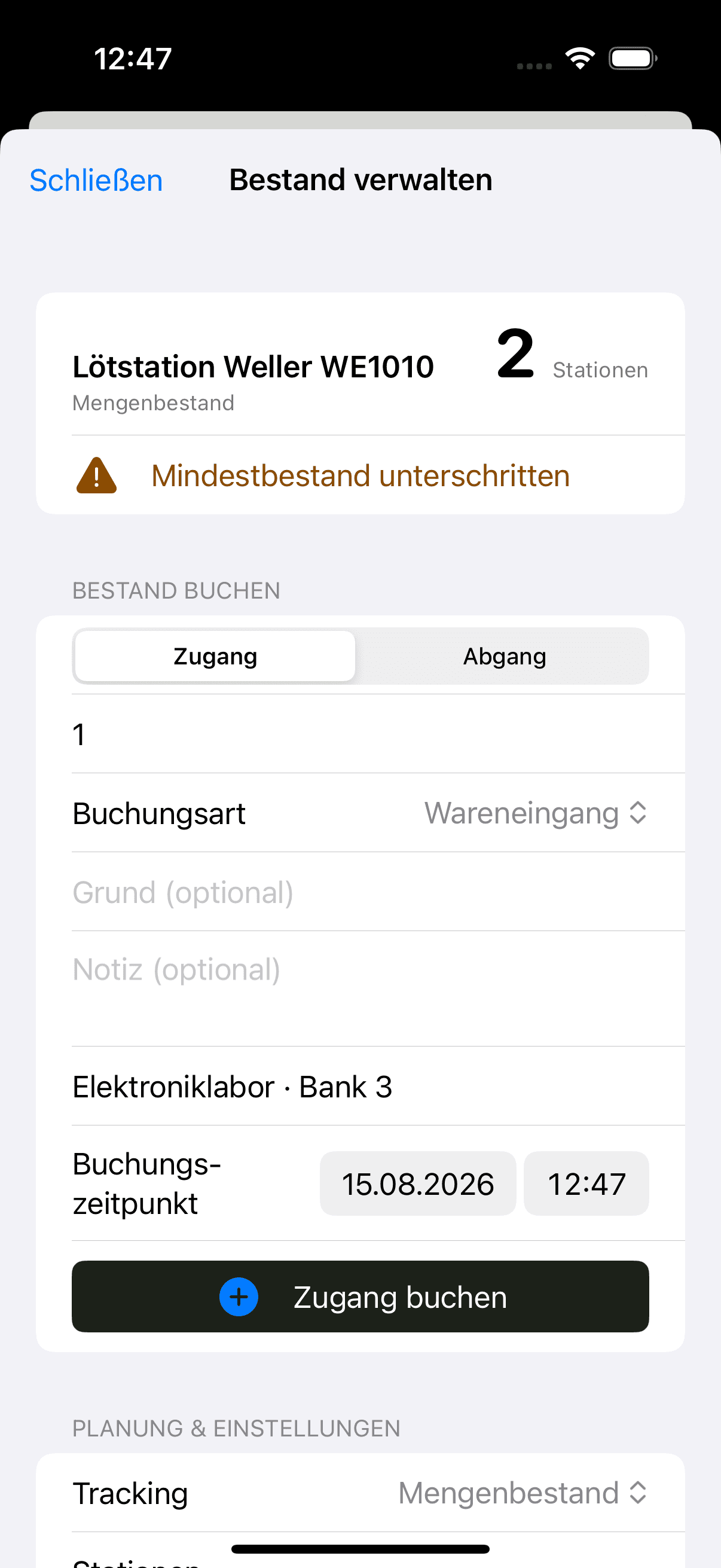
The iPhone scans a code where a receipt, issue or return happens. The native app uses the same server-side movement history as the web application.
Resolve the scanned record before selecting an operation
Prepare a receipt with a short on-device flow
Require explicit confirmation before executing an issue
Movements, units, purchase orders and bills of materials are stored in PostgreSQL. The open implementation makes booking rules inspectable, while scoped API tokens support custom scanner, purchasing and reporting integrations.
Append-only movements rather than silent quantity replacement
Docker Compose and PostgreSQL for the self-operated core
Scoped API tokens for narrowly defined integrations
Next feature area
Labels and software integrations resolve the same records. Scan workflows add preview and confirmation before a stock operation is executed.
Operate your own instance
Review the Compose services, persistence requirements and provider configuration before exposing an instance to a network.