Take a photo
Capture an object or a box while it is already in your hand. Suggested fields remain editable before saving.
Open Inventory for Family
Open Inventory gives a household a searchable catalogue with photos, containers, locations, and optional read-only shares. It is self-hosted and does not require storing the family archive in a proprietary inventory service.

Capture path
Take a photo · review the draft · save the record
Operational problem
Seasonal equipment, spare parts, documents, and inherited objects often disappear into nested boxes. The useful question is usually not whether something exists, but where it is, what belongs with it, and whether a manual or receipt was kept.
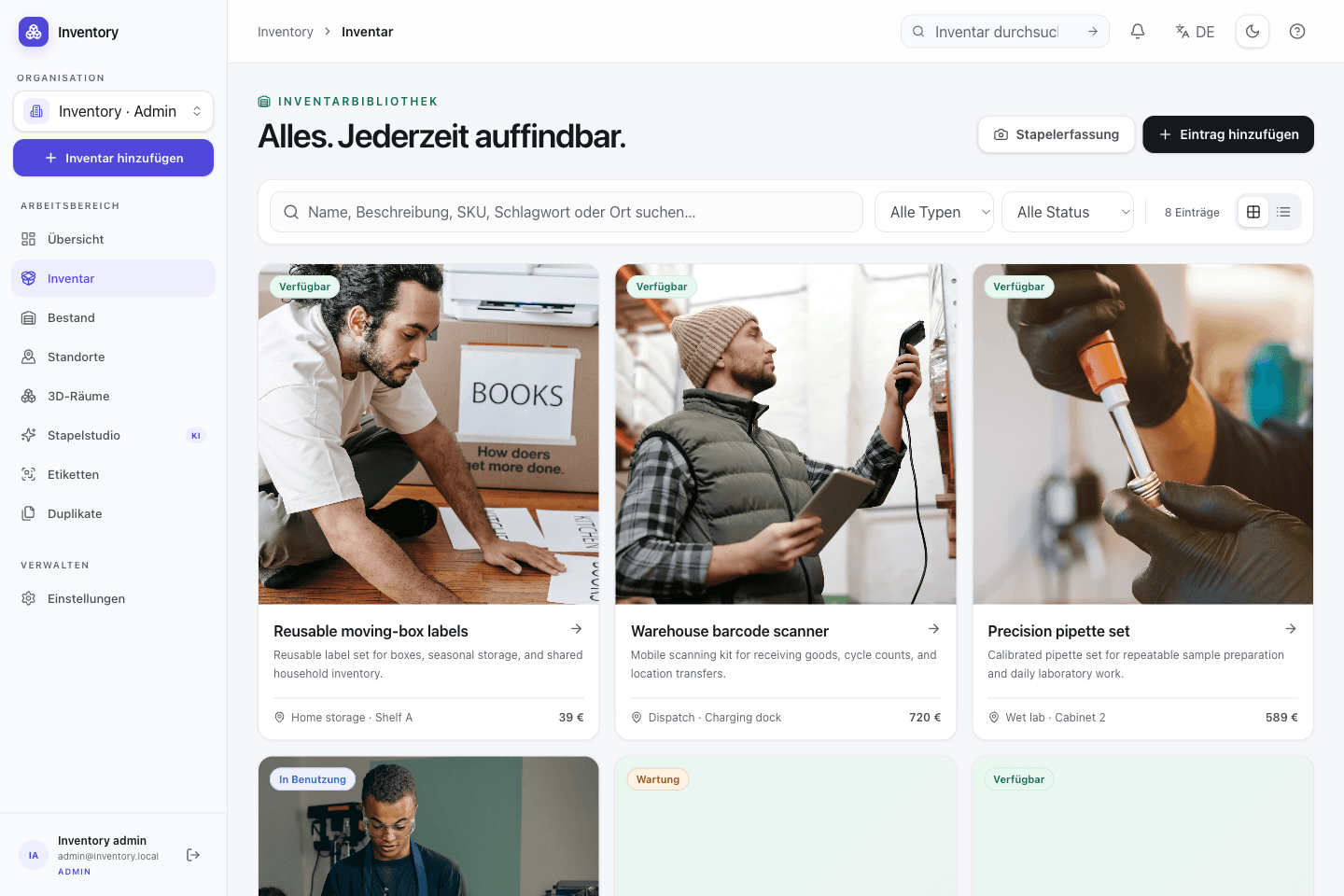
A workflow at the point of use
Capture starts with a camera or an existing code. Structured fields and deeper workflows are added without hiding the transaction being made.
Capture an object or a box while it is already in your hand. Suggested fields remain editable before saving.
Assign a room, shelf, or container. Containers can themselves be inventory records, so nested storage remains searchable.
Keep manuals, receipts, related accessories, and notes with the record instead of spreading them across different apps.
Search by name, description, tag, code, or location and open the relevant record on the web or iPhone.
Relevant capabilities
These capabilities are part of the same MIT-licensed application. Open Inventory does not split them into closed industry editions.
Use several views and keep original media with the structured record. AI assistance is optional and reviewable.
Link an item to its container, accessories, replacement parts, or other records without flattening everything into tags.
Describe the physical hierarchy from building and room down to shelf or box.
Publish a deliberately selected view instead of giving another person access to the full workspace.
Validated CSV import and export support common inventory fields. A complete restore still requires the database and uploaded media.
Give household members only the read or edit permissions they need for the shared catalogue.
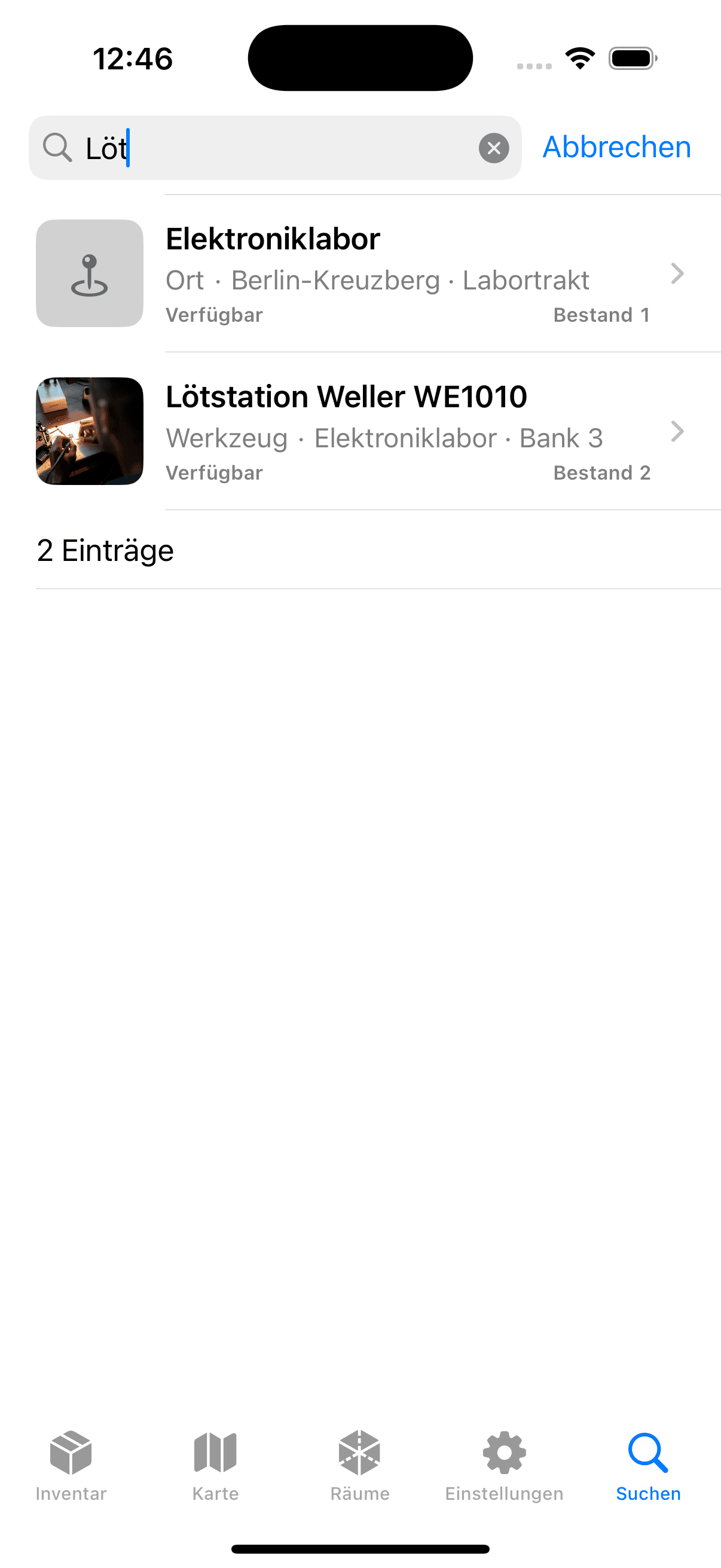

Native iOS app
SwiftUI · included in the repository
The native iOS app connects directly to the household's server. Camera capture, code lookup, search, and editing use the same records as the web interface.
Open source is part of the operating model
Open Inventory is MIT-licensed and can run on infrastructure you choose. Database backups and the upload directory remain the authoritative recovery path; CSV is useful for exchange, but it is not presented as a full backup.
Run it on your infrastructure
Start the Docker stack, photograph one real object, and inspect the resulting fields and media before choosing a wider rollout.