iOS app: camera, outbox, RoomPlan, and LiDAR
The SwiftUI app uses AVFoundation for photos and codes, a persistent outbox for uploads, and RoomPlan for parametric room geometry.
Open Inventory
Technical notes · MIT licensed

Summary
- AVFoundation supplies photos plus QR and barcode recognition
- The outbox persists photos, IDs, and confirmed API stages
- RoomPlan supplies parametric geometry, not a photorealistic scan
Actual app capture
Map in the native SwiftUI app
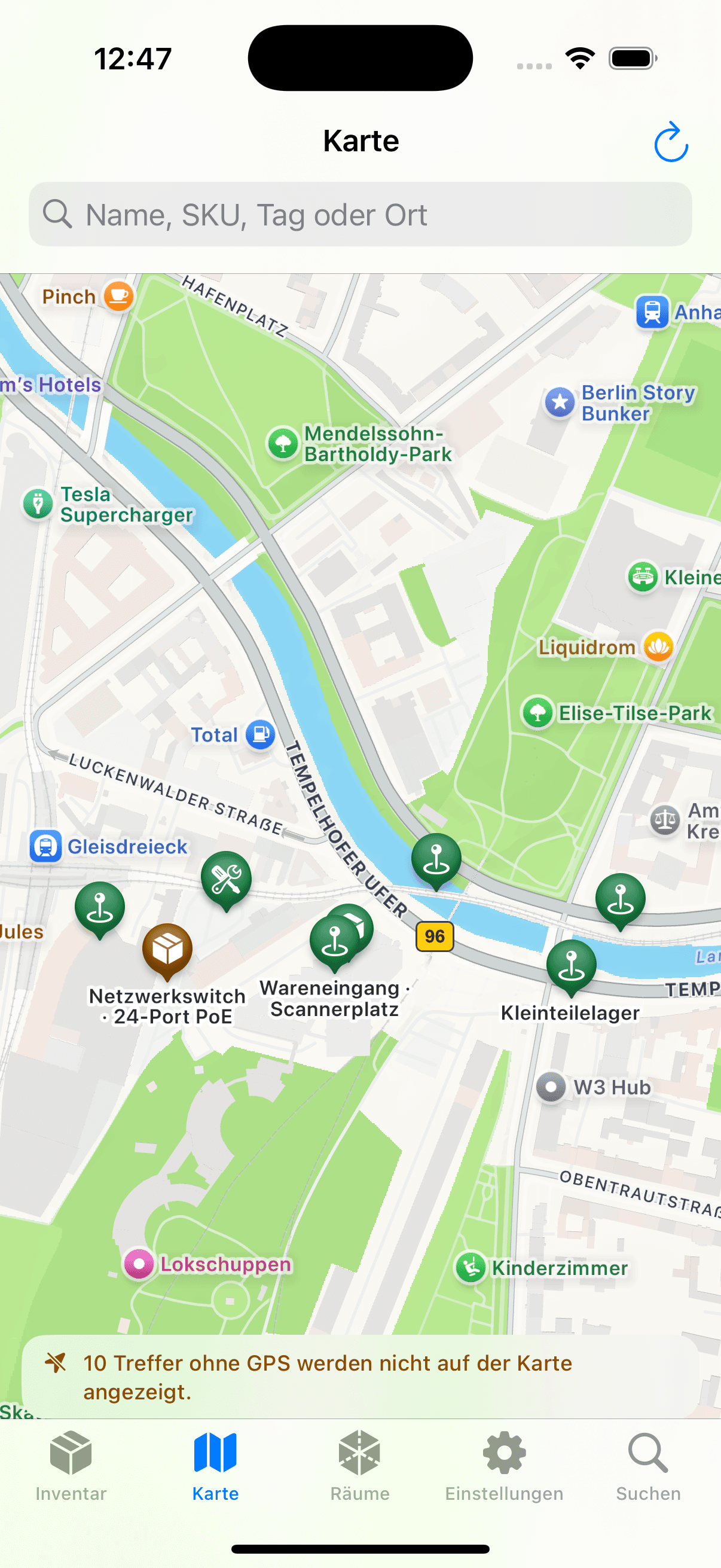
More than a web view
Native components and supported codes
The MIT-licensed SwiftUI app lives under ios/Inventory. AVFoundation provides camera frames and metadata for QR, EAN-8/13, UPC-E, Code 128, Data Matrix, PDF417, and Aztec codes.
The app resolves a UUID, Open Inventory link, exact SKU, or serial number against the server. An unknown code can become an identifier for a new record. The same REST stages as the web client follow: create the resource, upload media, optionally analyze it, and optionally create a cover.
The bearer token is stored in the iOS Keychain. Photos, resource ID, media IDs, and stage status are stored under Application Support and bound to one server. Retries use stable idempotency keys per stage.
Inventory in seconds
Persistent outbox and staged API calls
- 01
Set origin and token
The root URL binds queue entries to one server. Public hosts must use HTTPS before the app sends a bearer token.
- 02
Resolve a code or prepare a resource
Open an existing object by code or prepare a new record with up to twelve photos.
- 03
Add request data
Choose a location, optional GPS, and the spatial mode when prepared. Stock can optionally be received immediately or issued after confirmation.
- 04
Persist the job in Application Support
The app copies photos into the outbox and stores the current stage. Upload and optional AI stages can then run sequentially.
- 05
Check server state
After every stage, the app stores returned IDs. Following a restart it resumes from the last confirmed state; domain fields still require review.
RoomPlan
RoomPlan geometry and object positions
On a LiDAR-capable iPhone, RoomPlan captures walls, openings, floors, and recognized furnishings as a parametric scene. Rooms from the same run share an ARKit coordinate space and can be rendered together in the web client.
For an inventory object, the app relocalizes within the saved AR space. Positioning prefers LiDAR depth and falls back to an estimated plane. Photo, room ID, transform, and reference frame then pass through the normal upload queue.
RoomPlan does not store a photorealistic mesh. Geometry is simplified and can misclassify doors, mirrors, or unclear transitions. Manual room selection and tests on physical hardware remain necessary.
Before deployment
Network, hardware, and environment limits
- The iPhone must reach the server; bearer tokens are not sent over unencrypted HTTP to public hosts.
- The simulator is useful for parts of the API and interface, not for accepting camera, scanner, LiDAR, or spatial accuracy behavior.
- Reflective, textureless, or moving scenes can make AR capture and visual relocalization less reliable.
- AI image recognition is an optional external processing stage when a corresponding provider is configured.
- A spatial marker supplements the inventory record; important physical locations should still have clear human-readable names.
Build on the open code
Code paths in the public repository
Server routes, DTOs, APIClient, IntakeQueue, RoomPlan controllers, and SwiftUI screens live in the same open-source repository. The mobile request path can be followed directly from a photo to the database record.
The MIT license permits custom builds and modifications. Signing, camera, LiDAR, and RoomPlan still require Apple tooling and tests on a physical device. The simulator does not cover those hardware paths.
Further reading